The Price List tab inside Product data is where a product's booking setup lives:
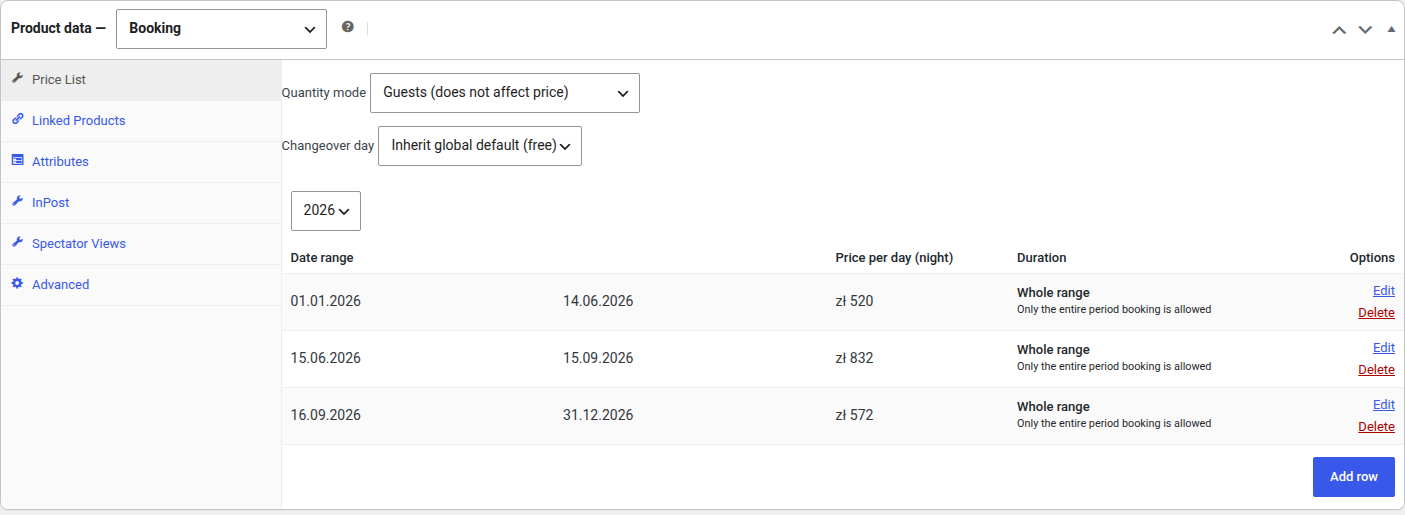
The panel is split into two labelled bands, because the two halves govern different things.
Whole product holds what applies to the product as a whole:
- Quantity mode — the mode for this product. Left at Inherit global default (…) it follows chapter 8.
- Changeover day — whether this product frees the day a stay ends on. Left at Inherit global default (…) it follows chapter 8; set it to Blocked for a service day for an object that needs preparing between customers.
Price periods holds the year and its rows:
- Year picker — the price list is kept per year. Switching the year shows only that year's rows; rows from other years are not lost. The picker is locked while a row is open for editing — save or cancel first.
- Add period — adds a row and opens its drawer (chapter 3).
- The coverage strip — the year drawn to scale, one block per period labelled with its price. A hatched stretch is a run of days no period covers, so a hole in the year is visible before a customer finds it.
- The row table — one line per period: Period (the range and its length in days), Price, the seats column, and Booking rule with a second line stating how that period charges (per day, per seat or per day, for the whole stay). The two buttons on the right open and delete the row.
The tabs on the left are standard WooCommerce ones (Linked Products, Attributes, Advanced) plus Spectator Views added by the plugin — see chapter 12.
Periods in the price list should not overlap. When a day is covered by more than one row the first matching row wins — for the price, the rule and the seats alike — which makes overlapping periods hard to reason about.
Number of seats — selling one product to several customers a day
By default a booking product takes one booking per day: once a day is held, the calendar closes it. Filling in Number of seats on a period changes that for the days that period covers — four pitches, six kayaks, ten seats on a tour:
- The calendar keeps offering a day until its seats are gone, counting how many are taken rather than treating the day as free or blocked.
- The quantity selector on the product page cannot be raised above the fewest free seats in the range the customer picked, and a customer asking for more than remain is told how many are left.
- The price is multiplied by the count on days that belong to a period with seats. A period with the field left empty keeps charging for the whole stay, so declaring seats is the single switch for both the limit and per-seat pricing.
- Availability is still checked on the server when the product is added to the cart and once more, under a lock, as the order is saved — two customers cannot take the same last seat.
Because the field lives on the period and not on the product, high season can offer a different number of places than low season. An empty field means one booking a day, which is how every price list written before this feature behaves.