The largest release in the plugin's history: a new name, code written from scratch, two new modules, a redesigned calendar, and availability rules enforced on the server rather than in the browser alone.
A new name, new code
The plugin, its admin menu and the whole documentation are now called BookingHive. Behind the name sits rewritten code: reservations have a table of their own, price lists a model of their own, and the admin panel its own visual identity. The Support tab points at the BookingHive channels: kontakt@ilabs.dev and bookinghive.ilabs.dev, where the user manual, the FAQ and technical support live.
The reservations dashboard
The Reservations screen reads stays straight from the plugin's own table rather than the WooCommerce order list — an order holding a five-night stay is one entry here, not five. Four tiles above the list give all reservations, upcoming ones, ongoing ones and the revenue of the last 30 days, so sales are visible at a glance instead of clicking through orders one by one.

The list narrows by guest or order number, by product, status and date range. The stays themselves are grouped by month, and each card shows the date range with weekdays, the product, the guest, the status, the amount and the number of nights.
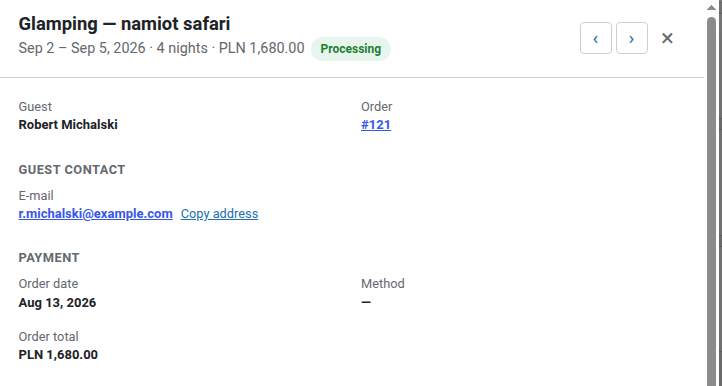
Details opens the rest: how to reach the guest, the payment date and method, the order total, a per-night price breakdown, and the order status control — without leaving the screen.
Dates sold exactly once
Availability is enforced on the server, on every route a booking can arrive by:
- Rules are checked against the whole requested range rather than each date on its own, so a range that swallows another guest's stay is refused — in the cart, at checkout and when the reservation is saved.
- Availability and price are verified when the product goes into the cart and once more before payment, so a tab left open for an hour, or a hand-edited form, cannot buy occupied dates at a price of its own.
- Reservation writes for one product queue up and are verified again immediately before saving, so two payments completing in the same second cannot both take the same dates.
The Week and Whole range period rules work the same way: a single day of an object rented in whole weeks is sold neither by the calendar nor by a request made outside it.
Back-to-back stays, without losing a day
A guest may arrive on the day another one leaves, so a changeover costs no day. The rule holds everywhere alike: in the calendar, in the REST price list, and in cart and checkout validation. A changeover day may be used only in the opposite role — arriving where someone leaves, or leaving where someone arrives. A one-day booking blocks its day whole, being its own arrival and departure at once.
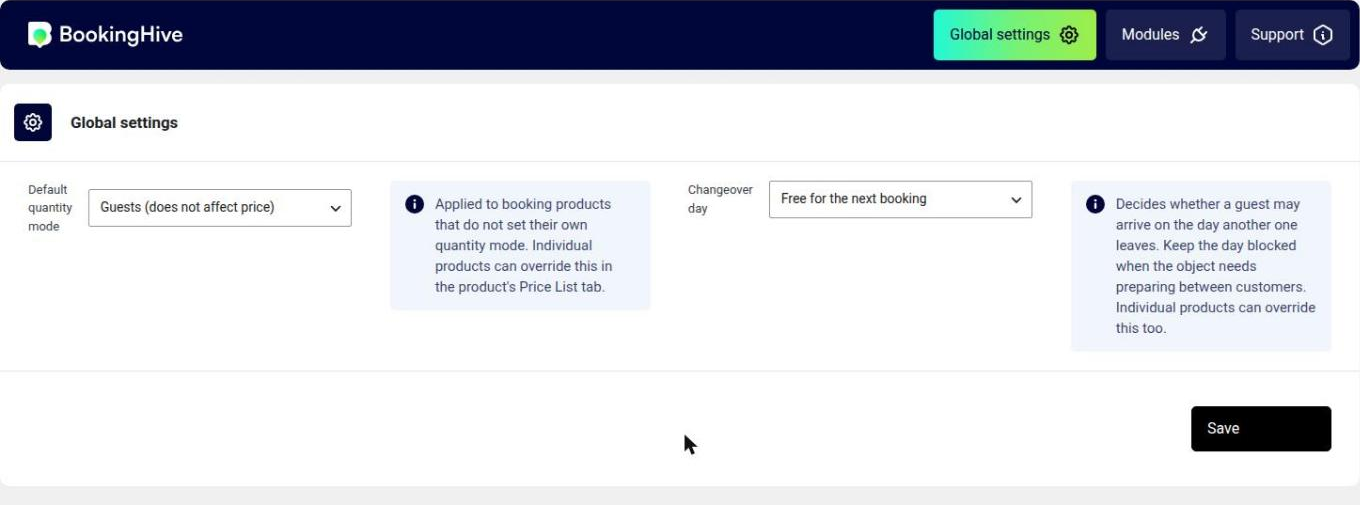
Not every object suits a same-day changeover, so the Changeover day setting decides. The default Free for the next booking releases the departure day for the next reservation; Blocked for a service day keeps it blocked — for a boat, a camper or a car that needs preparing between customers. The setting applies plugin-wide in the Global settings tab and per product in its Price List tab. Mind that the departure day is charged to the leaving guest as well, so with a free changeover day you sell that day twice.
Quantity mode: guests or units
The Default quantity mode field decides what the number a customer gives actually is. Guests keeps it with the stay as a single cart line and stores it with the reservation — that is how an apartment or a cottage works. Units turns it into a WooCommerce cart quantity, so the line total multiplies by the number of items — that is how kayaks, bikes or equipment are rented. The mode is set globally and can be overridden on any product.
Stay reminders and self-service cancellation
The new Stay Notifications module sends reminders 14 days, 7 days and one day before arrival. Each carries a signed link the guest can use to cancel the stay — up to a configurable cutoff, after which the link stops working. A separate e-mail confirms the cancellation, so the guest has it in writing that it went through, and the dates return to the calendar without anyone calling the front desk.
All three messages use the standard WooCommerce frame, and the reminder greets the customer by name, lists the booked dates with the product name, and counts the days until arrival with correct grammar in every language.
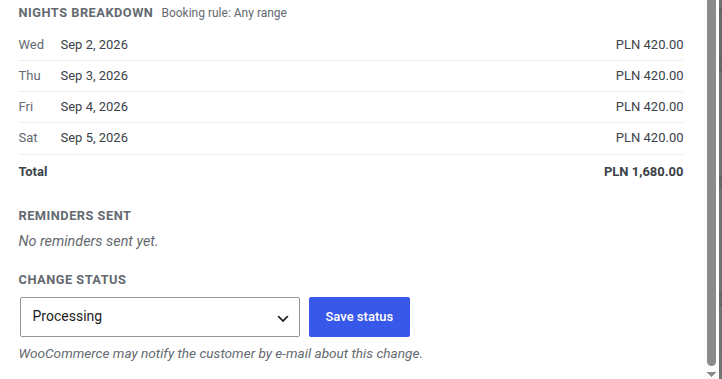
Which reminders have gone out is visible in the reservation details on the dashboard — no digging through the outbox.
Interest badges
The second new module, Spectator Views, shows visitors how many people have looked at a product and how many are looking right now, and notifies them of recent bookings.
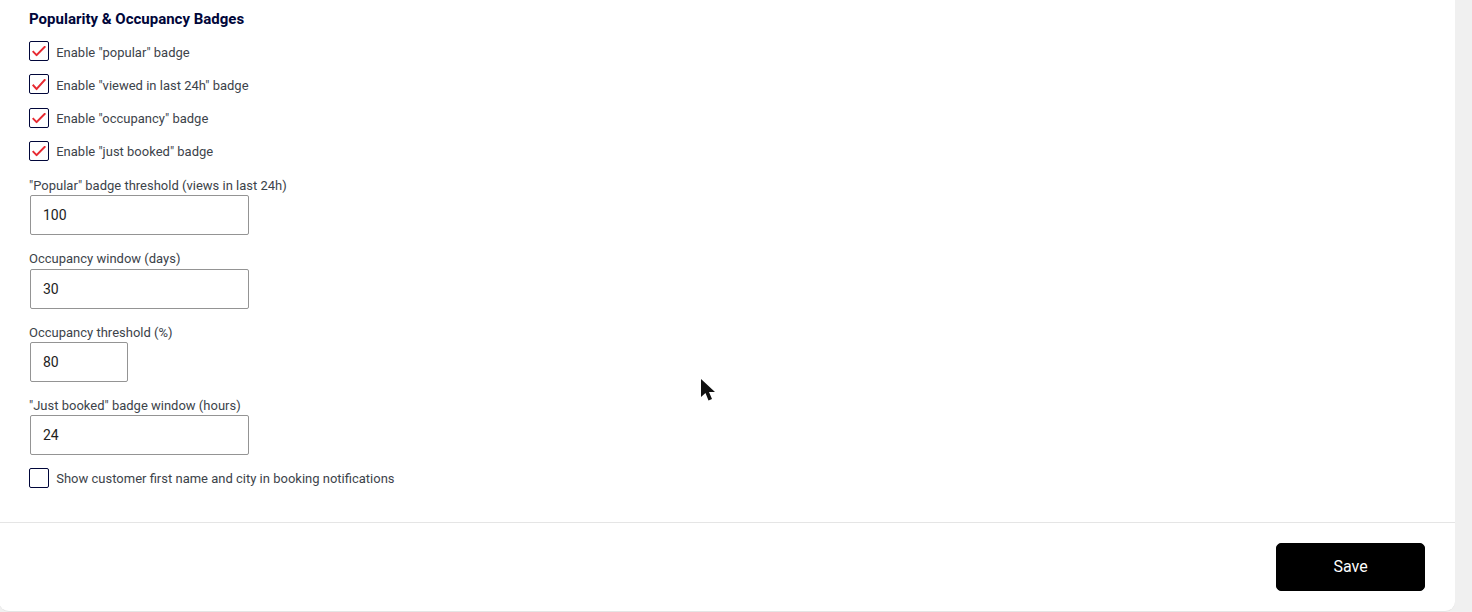
On top of that come four badges — popular, viewed in last 24h, occupancy and just booked — each with its own threshold, time window, colours and list of products it may appear on. Urgency shows up only where it makes sense, and only when the numbers justify it.
A two-month calendar
The booking calendar is built around a two-month grid, so a guest sees more free dates at once and switches views less often to put together a stay that crosses a month boundary.
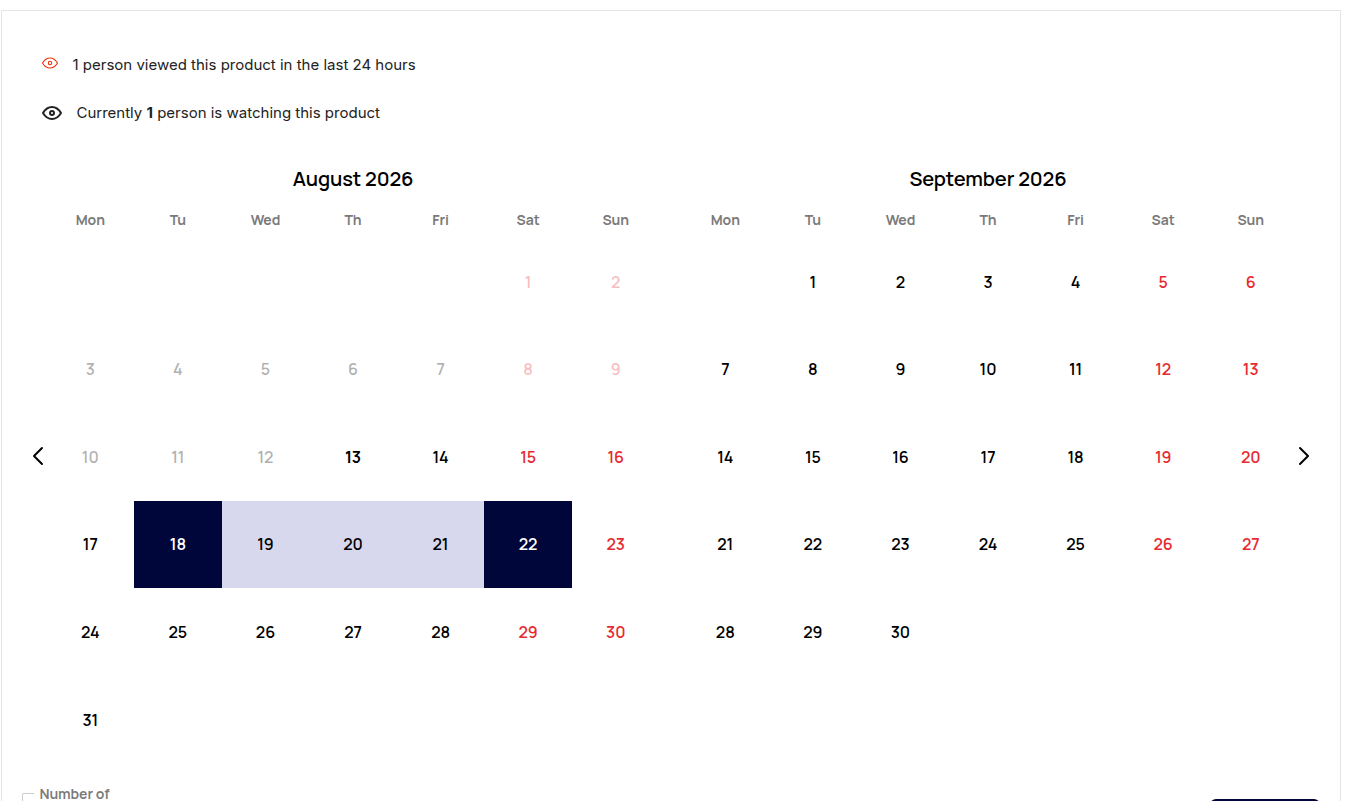
Clicking a start and an end date highlights the whole range, and the amount due appears under the calendar straight away. The rate counts every selected day, the last one included — 18–22 August is five days, and the reservations dashboard describes it the same way.
HPOS, language and currency
The plugin is compatible with High-Performance Order Storage. The Reservations screen reads order data through WooCommerce rather than straight from the posts tables, so customer names, the guest search and the links to orders keep working whichever order storage the shop runs.
Dates, weekdays and month headings on that screen follow the language of the person looking at it, while amounts follow the shop's own currency settings — the same symbol, position and separators WooCommerce uses everywhere else.
Languages
The package ships the English source strings and a complete Polish translation. Other languages come from translate.wordpress.org, where the community can keep them up to date and WordPress delivers them along with its own updates.
Upgrading from the old version
BookingHive 2.0 is written from scratch and carries no data over from 1.0.x: price lists and reservations live in a new structure, so every booking product needs its price list re-entered, and dates sold earlier do not block the calendar. Back up, and try the update on a copy of the shop before touching production.