Until now a Booking product sold one reservation a day. That fits a cottage or an apartment, but not a campsite, a kayak rental or a cruise with seats. 2.1.0 opens those up with a single field in the price list.
One product, several bookings on the same day
The price-period drawer gained a Number of seats field — how many reservations that period sells per day. Four pitches, six kayaks, ten seats on a cruise.
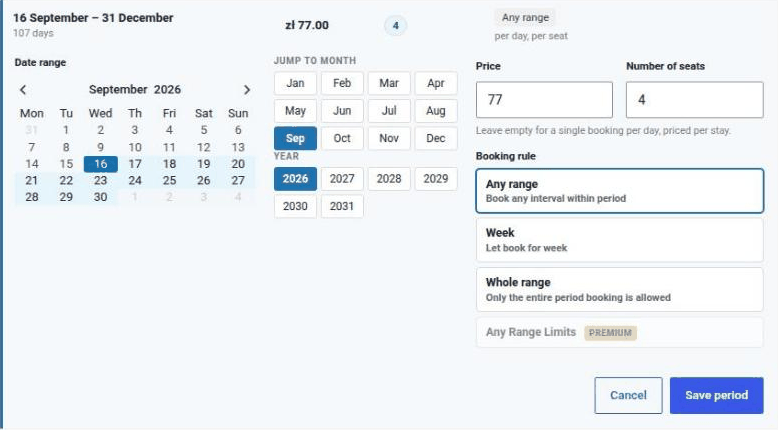
The hint below the field says plainly what happens when you leave it empty: one booking a day, priced per stay — exactly how the plugin has behaved so far. No price list built before this release changes what it charges.
Priced per seat, season by season
Filling the field in also switches how those days are priced: on the days belonging to that period the price is multiplied by the number of seats booked. A period with the field left empty is still priced per stay, and the rule heading in the price list says which applies — per day, per seat or per day, per stay.
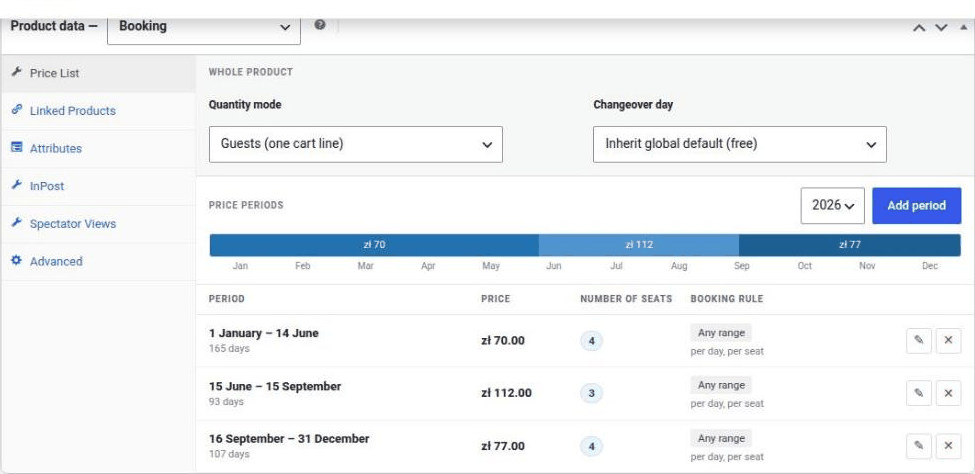
Because the field lives on the period rather than on the product, high season can offer a different number of seats than low season — and a different price per seat. One price list therefore carries both seasonality and capacity, with no duplicated products.
The calendar counts what is left
Availability no longer answers free or taken, it counts seats. A day is offered until they run out, and the quantity field below the calendar trims itself to the fewest free seats in the selected range. A customer asking for more is told how many places remain, instead of only that the dates are taken.
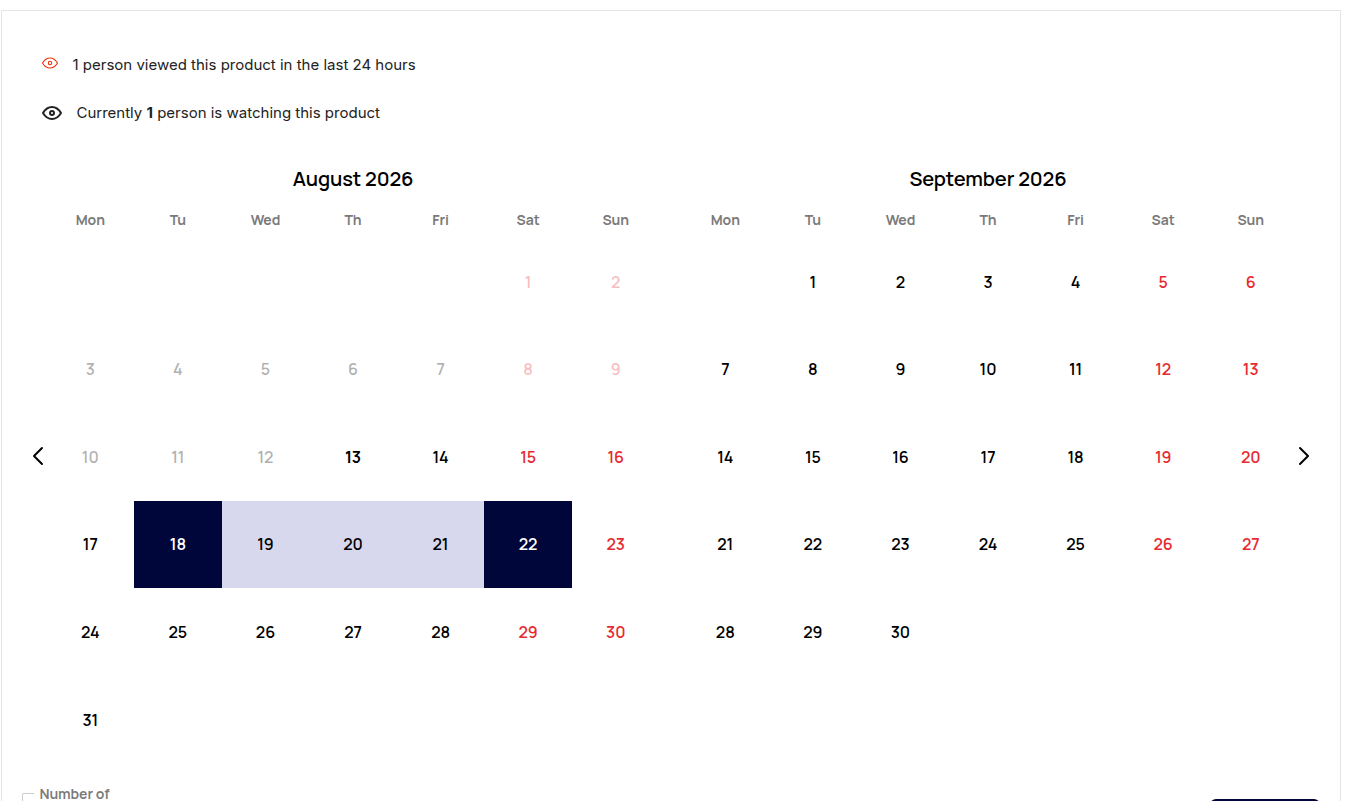
Seat counting applies on changeover days too: a departure day may still be someone's arrival and an arrival day may still be someone's departure, each up to the capacity. All of it is re-checked on the server when the product goes into the cart, and once more under a lock when the order is saved, so two customers cannot take the same last seat.
Powered by BookingHive
A small grey Powered by BookingHive line now closes the booking form. The same line goes into the footer of the WooCommerce e-mails sent for an order holding a booking, and into all three stay messages. It is rendered by default, so you will see it after the update without configuring anything; the bookinghive_powered_by_html filter restyles or removes it.
Lighter shop pages
The booking form's fonts, stylesheet and scripts are now loaded only where the form actually appears — on a booking product, or on a page carrying the [ilabs_ibooking_form] shortcode — instead of on every page of the shop. The catalogue, the cart and blog posts no longer pull code they never use. If you build pages with a builder that keeps its content out of the post body, the bookinghive_load_booking_form_assets filter brings the loading back.
Fixes worth knowing about
- A date range longer than two days silently cleared itself after the calendar was moved to another month. The day click handler was bound a second time on every month change, and the duplicate run discarded the selection it had just made. This affected every booking product.
- The reservations table stored prices as whole numbers, so a night priced 77.50 was recorded as 77.00. The orders themselves were always charged correctly, and reservations written before this release keep the truncated figure — new ones no longer do.
- The Book Now tab, and with it the whole booking calendar, was added to every product in the shop, so an ordinary product offered a calendar that could never be submitted. The tab now appears only on products of type booking. If you have seen it on other product types, it disappears with this update.