The Reservations screen (admin.php?page=bookinghive-reservations) reads reservations straight from the plugin's own table rather than from the WooCommerce order list — a single order covering a five-night stay is one entry here.
The top holds four tiles and a filter bar:

- ALL RESERVATIONS, UPCOMING (future), ONGOING (in progress) and REVENUE (30 DAYS).
- Filters: Search (guest or order number), Product, Status, From, To, plus Filter and Reset.
Below that, reservations are grouped by month:
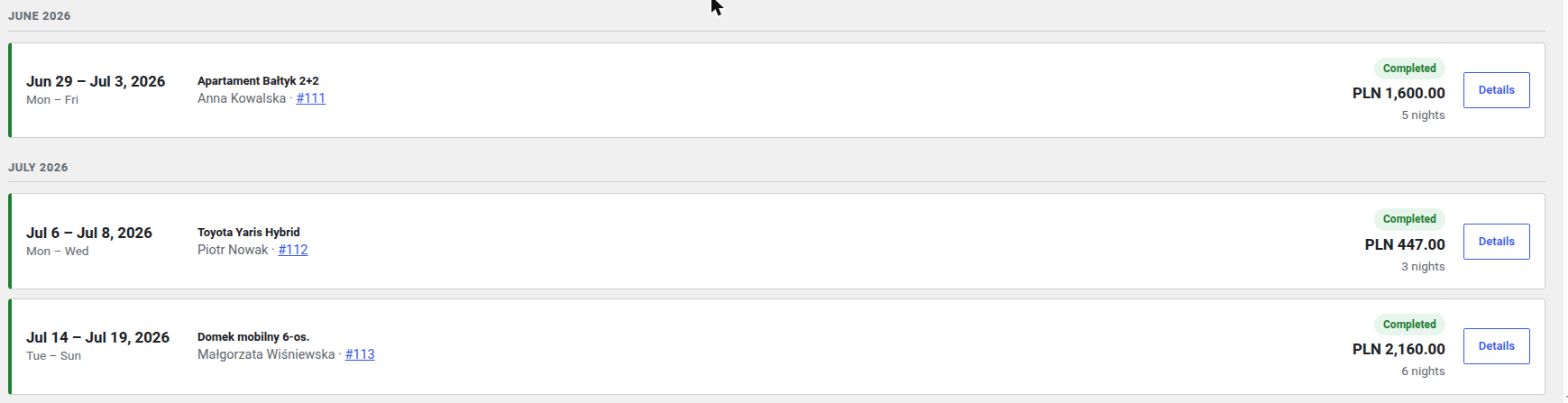
Every card shows the date range, weekdays, product, guest with order number, status (the coloured bar on the left), amount and number of nights. The list holds 25 entries per page; with more reservations pagination appears underneath.
Details opens a modal:
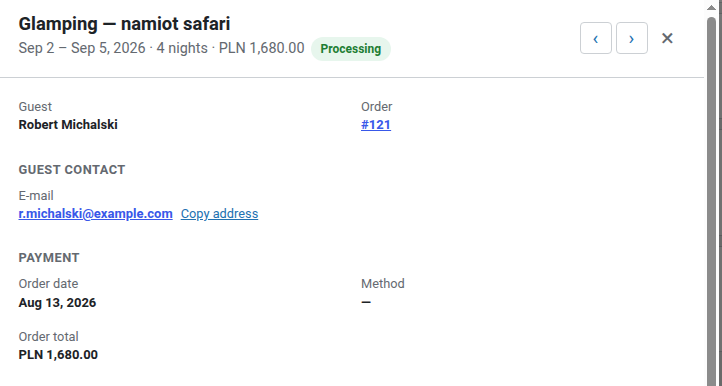
The modal shows the guest, order number, contact details (with a Copy address link), payment date and method, and the order total. Further down come the per-night breakdown, reminder history and the status control:
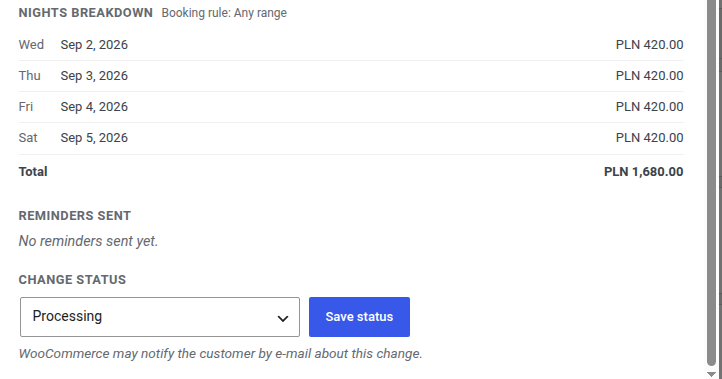
- NIGHTS BREAKDOWN — the price of every night separately, with the period rule in the header (e.g. Booking rule: Any range) and a total.
- REMINDERS SENT — which StayNotifications reminders have already gone out.
- CHANGE STATUS — an order status select and a Save status button. The note underneath warns that WooCommerce may e-mail the customer about the change.
The statuses processing and completed block the dates as booked; pending and on-hold block them provisionally. Cancelling an order releases the dates.