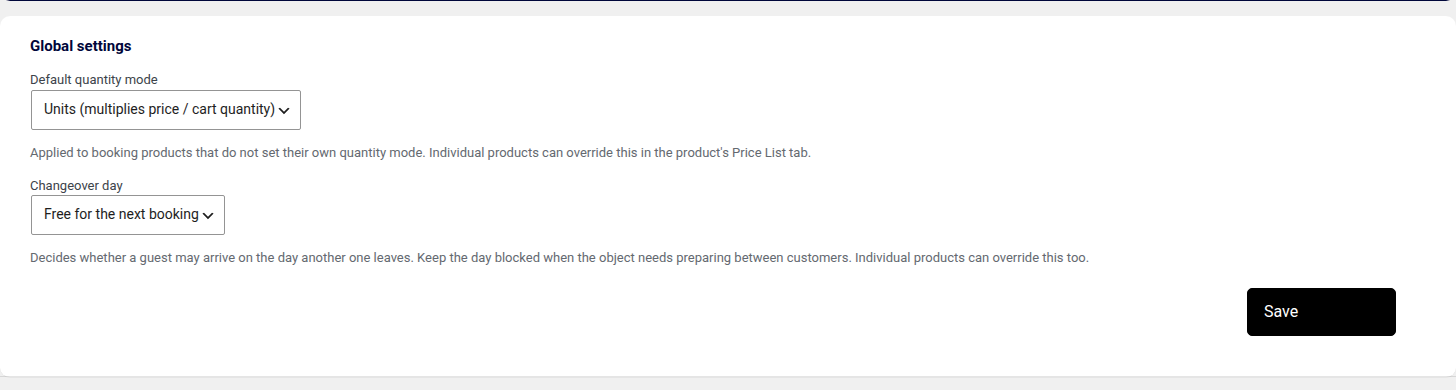
The Global settings tab holds two fields. Default quantity mode decides what the number a customer gives actually is:
| Value | Meaning |
|---|---|
| Guests (one cart line) | The count travels with the stay as a single cart line and is recorded on the reservation. Right for an apartment or a pitch, where one booking is one party. |
| Units (separate cart quantity) | The count becomes the WooCommerce cart quantity. Right for renting items — kayaks, bikes, equipment. |
The mode decides what the number means, not whether it multiplies the price. That is decided period by period, by the Number of seats field described in chapter 9. The mode does change the wording: the seats column reads Number of seats for guests and Number of units for units.
The hint under the field states that the setting applies to products which do not define their own mode, and that any product can override it in its own Price List tab (screenshot in chapter 6).
Changeover day decides what happens to the day one stay ends on:
| Value | Meaning |
|---|---|
| Free for the next booking | The default. A guest may arrive on the day another one leaves, so a changeover costs no day. Mind that the departure day is charged to the leaving guest as well, so that day is paid for twice. |
| Blocked for a service day | The whole booked day stays blocked. Right for a boat, a camper or a car that has to be cleaned or serviced between customers. |
A day in the middle of a stay is never bookable, and once a departure day has been taken as somebody's arrival it is closed as well. A one-day booking blocks its day whole, being both the arrival and the departure. Any product may override this setting in its own Price List tab.
The same field is reachable a second way — Modules → Core → Settings — in a plainer layout: